
Download AutoNotes – AI Therapy Documentation Tool, Secure SOAP & DAP Generator
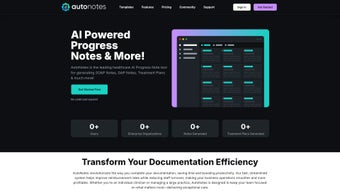
AutoNotes is an AI‑powered web application built specifically for mental‑health, speech, and occupational therapy professionals. By automating the creation of clinical notes—such as SOAP, DAP, and custom treatment plans—AutoNotes removes the time‑consuming paperwork that often distracts clinicians from patient care. The platform includes specialized templates for both individual and group progress notes, a dictation engine that turns spoken words into accurate text, and a secure, HIPAA‑compliant storage vault for every client file. Whether you run a solo private practice or belong to a large healthcare organization, AutoNotes scales to meet your documentation needs, and the Enterprise Plan adds extra customization and support options for larger teams.
Core Features, Pros & Cons
The true power of AutoNotes lies in its feature set, which blends artificial intelligence with therapist‑focused workflow design. Every function is engineered to shorten the documentation cycle while preserving clinical accuracy. Below is a detailed look at the most important capabilities.
- AI‑Generated SOAP & DAP Notes: Input a brief summary or use voice dictation, and the engine produces fully formatted notes ready for review.
- Customizable Treatment‑Plan Templates: Drag‑and‑drop modules let you tailor plans to specific diagnoses, age groups, or therapeutic modalities.
- Individual & Group Progress Note Templates: Separate forms for one‑on‑one sessions and group therapy, each pre‑populated with best‑practice fields.
- Voice Dictation Integration: Real‑time speech‑to‑text conversion works in 12+ languages, reducing manual typing.
- Secure Cloud Storage: End‑to‑end encryption, automatic backups, and role‑based access controls keep client data safe.
- Audit Trail & Compliance Reporting: Every edit is logged, making it easy to produce compliance reports for licensing boards.
- Enterprise Plan Add‑Ons: Custom branding, API access for EMR integration, and dedicated account management.
- Cross‑Platform Accessibility: Fully responsive web app works on Windows, macOS, Linux, iOS, and Android browsers.
- Regular Updates & AI Model Improvements: Monthly releases add new note templates and improve dictation accuracy.
Pros
- Significant time savings—most clinicians report a 40‑60% reduction in note‑writing time.
- AI accuracy improves with continued use; the system learns therapist‑specific terminology.
- HIPAA‑compliant storage eliminates the need for separate file‑hosting solutions.
- Voice dictation works well even in busy clinic environments.
- Scalable pricing—solo practitioners can start with a low‑cost plan, while large clinics benefit from the Enterprise bundle.
Cons
- Requires a reliable internet connection; offline mode is not currently available.
- Initial learning curve for therapists unfamiliar with AI‑driven interfaces.
- Subscription cost may be a barrier for very small practices on a tight budget.
- Custom template creation can be time‑intensive the first time around.
- Dictation accuracy can vary with heavy accents or background noise.
Installation, Setup, and Everyday Workflow
Because AutoNotes is a cloud‑based solution, there is no traditional “installation” process. Getting started involves a few simple steps that can be completed in under ten minutes, even for users who are not technically inclined.
- Create an Account: Visit the AutoNotes homepage, click “Sign Up,” and enter your professional credentials. A verification email is sent to confirm your identity.
- Select a Subscription Plan: Choose between the Professional (individual) or Enterprise (team) tier. Payment is handled securely via credit card or ACH.
- Configure Your Workspace: After logging in, the onboarding wizard asks you to set up practice details, preferred note format (SOAP, DAP, or custom), and any existing EMR integration keys.
- Import Existing Client Data (Optional): Use the CSV import tool to migrate legacy records. AutoNotes automatically maps common fields, and you can manually adjust any mismatches.
- Activate Dictation: Enable the microphone permission in your browser. Test the speech‑to‑text engine with a short phrase to calibrate the system to your voice.
- Start Documenting: From the dashboard, click “New Note,” select the appropriate template, and either type or dictate your session summary. The AI suggests content for each section; you can edit or accept it with a single click.
- Save & Secure: Once you hit “Finalize,” the note is encrypted, stored in the secure cloud, and linked to the client’s record. An audit log entry records the user, timestamp, and any changes made.
Because AutoNotes runs entirely in the browser, it is compatible with any modern operating system—Windows, macOS, Linux, iOS, and Android—provided the device has a recent version of Chrome, Edge, Safari, or Firefox.
Daily use is designed to be frictionless. Therapists can access their dashboard from a laptop during a session, a tablet in a therapy room, or a smartphone on the go. The system automatically syncs across devices, ensuring that notes are always up‑to‑date. For practices with multiple clinicians, role‑based permissions let administrators assign view‑only, edit, or full‑admin rights, keeping client confidentiality intact.
Conclusion, FAQ, and Call to Action
AutoNotes represents a significant leap forward for therapy documentation. By harnessing AI to generate accurate SOAP and DAP notes, providing a secure cloud repository, and supporting voice dictation, the platform frees clinicians to focus on what matters most—patient care. While the subscription cost and reliance on internet connectivity may be considerations for some, the productivity gains, compliance benefits, and scalability make AutoNotes a compelling investment for both solo practitioners and large therapy organizations.
Overall Rating: 4.6 / 5
The platform excels in speed and security, and its AI becomes more accurate the more you use it. The only drawbacks are the need for a stable internet connection and a modest learning curve for new users.
Frequently Asked Questions
Is AutoNotes HIPAA compliant?
Yes. AutoNotes uses end‑to‑end encryption, regular security audits, and role‑based access controls to meet HIPAA requirements for protected health information (PHI).
Can I try AutoNotes before committing to a subscription?
A 14‑day free trial is available for all new users. The trial includes full access to professional‑level features, allowing you to evaluate the AI note generation and dictation capabilities.
Does AutoNotes integrate with existing EMR systems?
The Enterprise Plan provides API access and pre‑built connectors for popular EMR platforms such as Epic, Cerner, and SimplePractice. Integration setup is handled by the AutoNotes support team.
What languages does the dictation engine support?
Currently, the dictation feature supports English, Spanish, French, German, Mandarin, and six additional languages. New languages are added quarterly based on user demand.
How does AutoNotes handle data backups?
All notes are automatically backed up to redundant data centers every 15 minutes. Users can also export individual records or full client databases in PDF or CSV format at any time.
Ready to cut documentation time in half and keep your client data safe? Start your free trial of AutoNotes today and experience AI‑driven note taking that works as hard as you do.






